
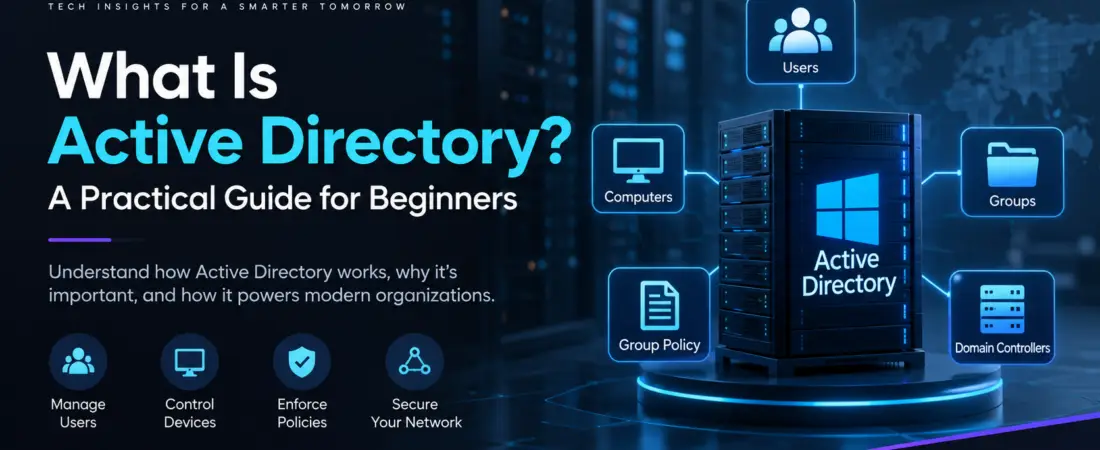
Active Directory (AD) is a directory service developed by Microsoft for managing users, computers, devices, and other resources in a Windows-based enterprise network.
Instead of managing every computer and user individually, organizations can use Active Directory to centrally manage identities, permissions, security policies, and access to network resources.
If you have ever logged in to a company computer using a username and password, there is a good chance that an Active Directory environment was involved in authenticating your account.
This guide explains the fundamentals of Active Directory, including domains, Domain Controllers, users, groups, Organizational Units, Group Policy, authentication, authorization, and cybersecurity.
Table of Contents
Why Do Organizations Use Active Directory?
Managing hundreds or thousands of computers individually can quickly become difficult.
Imagine an organization with 500 employees. Each employee may have a computer, a user account, access to shared folders, printers, applications, and different security requirements.
Managing all of these resources separately would be inefficient.
This Directory provides a centralized management system that allows administrators to manage users, computers, and other resources from a common environment.
For example, an administrator can:
- Manage computers and devices
- Create and manage user accounts
- Control access to shared resources
- Apply security policies
- Reset user passwords
- Organize users and computers
- Manage permissions
- Control authentication
- Manage groups and memberships
- Apply configuration settings across computers
This centralized approach makes enterprise IT environments easier to manage, maintain, and secure.
How Does Active Directory Work?
At a basic level, Active Directory stores information about different objects in a directory.
These objects can include:
- Users
- Computers
- Groups
- Printers
- Servers
- Organizational Units (OUs)
For example, a user’s account can contain information such as their username, password-related information, group memberships, and other attributes.
When a user attempts to access a network resource, the directory service can help verify the user’s identity and determine whether the account has the required permissions.
A simplified authentication and access flow looks like this:
User → Authentication → Active Directory → Authorization → Resource
Authentication
Authentication answers:
Who are you?
For example, when an employee enters a username and password, the system verifies whether those credentials belong to a valid account.
Authorization
Authorization answers:
What are you allowed to access?
After authentication, permissions and group memberships can determine which resources the user can access.
Understanding the difference between authentication and authorization is fundamental to understanding enterprise security.
What Is an Active Directory Domain?
An Active Directory domain is a logical environment in which users, computers, and other resources are managed.
A domain provides a security and administrative boundary for the objects within it.
For example, an organization might use a domain such as:
corp.example.com
A user account could belong to this domain and use the organization’s identity infrastructure for authentication.
In larger environments, organizations can also create multiple domains and organize them into broader Active Directory structures such as trees and forests.
What Is a Domain Controller?
A Domain Controller (DC) is a server that runs Active Directory Domain Services (AD DS).
The Domain Controller plays a central role in an Active Directory environment.
Common responsibilities include:
- User authentication
- Password validation
- Maintaining directory information
- Processing authentication requests
- Supporting security policies
- Providing information about domain objects
- Supporting access to domain resources
For example, when an employee signs in to a domain-joined Windows computer, a Domain Controller can participate in the authentication process.
Organizations commonly deploy multiple Domain Controllers to improve availability and redundancy. If one Domain Controller becomes unavailable, another can continue providing directory services.
What Are Users and Groups in Active Directory?
Users represent individual accounts within the directory.
For example, an organization may have accounts such as:
john.smithadmin01helpdesk01
Groups are used to organize users and simplify permission management.
Instead of assigning permissions individually to 100 employees, an administrator can create a group and assign the appropriate users to it.
For example:
Finance-Users
could contain all employees working in the finance department.
A permission can then be assigned to the group rather than to every individual account.
This approach makes administration more scalable and easier to maintain.
What Are Organizational Units?
Organizational Units (OUs) help administrators organize objects inside an Active Directory domain.
For example, an organization could create OUs such as:
- IT
- Finance
- HR
- Sales
Users and computers can then be placed into the appropriate OUs.
OUs are especially useful because administrators can apply Group Policy to them.
For example, computers inside an IT OU could receive different configuration settings from computers inside a Finance OU.
It is important to understand that an OU is primarily an administrative and organizational structure; it is not the same thing as a security group.
What Is Group Policy?
Group Policy allows administrators to centrally configure settings for users and computers in a Windows domain environment.
Instead of manually configuring hundreds of computers, administrators can define policies and apply them to the appropriate users or computers.
For example, Group Policy can be used to:
- Enforce password requirements
- Configure Windows security settings
- Restrict certain system features
- Configure software settings
- Control Windows Update behavior
- Configure firewall settings
- Control access to certain Windows features
- Apply standardized workstation configurations
This centralized configuration capability is one of the major reasons Active Directory is widely used in enterprise Windows environments.
Active Directory and Cybersecurity
This Platform is not simply an administration technology. It is also a critical part of enterprise security.
Because identity and access are closely connected to the directory environment, compromised accounts can potentially provide an attacker with access to systems and resources.
For this reason, security teams pay close attention to:
- Privileged accounts
- Domain Administrator accounts
- Password security
- Group memberships
- Authentication events
- Service accounts
- Domain Controllers
- Group Policy
- Unnecessary administrative privileges
A particularly important security principle is least privilege.
Users and administrators should receive only the permissions they actually need to perform their responsibilities.
Protecting privileged accounts is especially important because the compromise of a highly privileged account can have a much greater impact than the compromise of an ordinary user account.
Understanding Active Directory therefore provides an important foundation for anyone learning enterprise cybersecurity, Windows security, or penetration testing in authorized environments.
Active Directory Domain Services vs Microsoft Entra ID
Active Directory Domain Services (AD DS) and Microsoft Entra ID are both Microsoft identity technologies, but they serve different purposes.
Active Directory Domain Services
AD DS is traditionally used for on-premises Windows domain environments.
It provides capabilities such as:
- Domain-based authentication
- Domain Controllers
- Organizational Units
- Group Policy
- Computer and user management
- Traditional Windows domain administration
Microsoft Entra ID
Microsoft Entra ID is Microsoft’s cloud-based identity and access management platform.
It is designed for modern cloud and hybrid environments and provides capabilities related to:
- Cloud identities
- Application access
- Authentication
- Access management
- Microsoft cloud services
The two technologies are not simply replacements for one another.
Modern organizations can use AD DS and Microsoft Entra ID together in hybrid environments, depending on their infrastructure and identity requirements.
Active Directory in a Real Enterprise Environment
A simplified enterprise environment might look like this:
Employees
↓
Windows Computers
↓
Domain Controller
↓
Active Directory Domain
↓
Users + Groups + OUs + Policies
↓
Servers / Applications / Shared Resources
For example, when an employee joins a company, an administrator may create their user account, place the account into appropriate groups and organizational structures, and provide access to required resources.
When the employee leaves the organization, their account can be disabled and their access can be removed centrally.
This is much more efficient than managing each system individually.
Why Should You Learn Active Directory?
Active Directory is an important technology to understand if you want to work with:
- Windows Server
- Enterprise networking
- System administration
- IT infrastructure
- Identity and access management
- Cybersecurity
- Security operations
- Windows security
- Enterprise penetration testing
Many enterprise environments still rely heavily on Microsoft identity and Windows infrastructure.
Learning the fundamentals gives you a better understanding of how users, computers, permissions, authentication, and security policies interact inside an organization.
Final Thoughts
Active Directory is one of the foundational technologies behind many enterprise Windows environments.
Its main purpose is to provide centralized management of identities, computers, policies, and access to resources.
The most important concepts to understand are domains, Domain Controllers, users, groups, Organizational Units, authentication, authorization, and Group Policy.
Once these fundamentals are clear, topics such as Windows Server administration, enterprise networking, identity security, and Windows-based enterprise infrastructure become much easier to understand.
ZYQREN will explore these technologies from the fundamentals to practical, real-world implementation.